ChatGPT Subscription से सस्ता OpenAI Codex चलाएँ: 98% Cache Rates, Low-Reasoning GPT-5.5, और Grill-Me Workflow
ChatGPT subscription से कम खर्च में Smart AIPI के जरिए OpenAI Codex CLI का उपयोग कैसे करें। लंबे agentic sessions पर लगातार 98% cache hit rates, execution के लिए low reasoning पर GPT-5.5, task creation के लिए Matt Pocock का grill-me skill on high, और gpt-image-2 logos सीधे आपके frontend में।
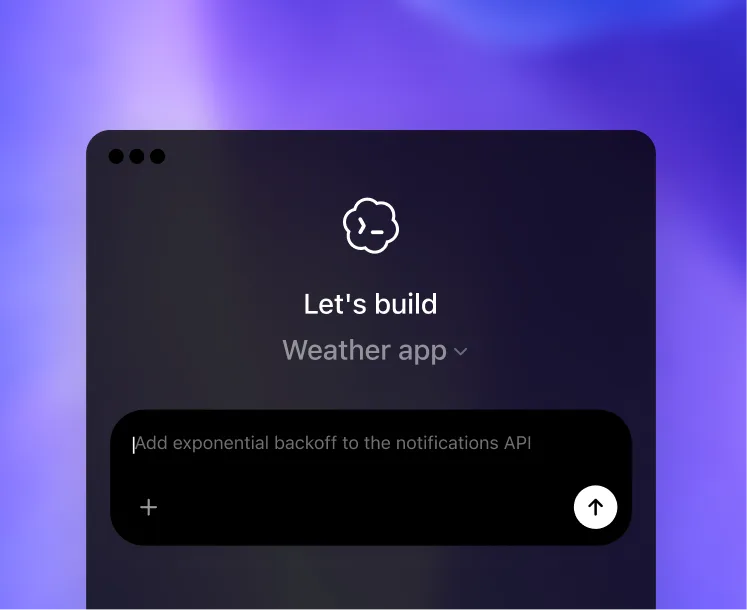
TL;DR: OpenAI Codex CLI को Smart AIPI के जरिए चलाएँ और ज़्यादातर यूज़र्स ChatGPT Plus subscription से कम भुगतान करते हैं — बिना rate limit के। चाल दो जुड़े हुए फ़ायदों की है: लंबे agentic sessions पर लगातार ~98% prompt cache hit rates (cached input uncached से 10× सस्ता होता है), और execution के लिए GPT-5.5 on low reasoning effort का उपयोग, जबकि high reasoning सिर्फ task creation पर खर्च करें। इसे Matt Pocock के grill-me skill (github.com/mattpocock/skills) के साथ जोड़ें और आपके पास बाज़ार का सबसे सस्ता, सबसे sharp coding harness होगा।
OpenAI का Codex app आज shipping में उपलब्ध सबसे अच्छा general-purpose coding harness है। इसमें dictation mode, एक real diff viewer, एक deep plugin और skill ecosystem (computer-use plugin सहित), और GPT-5.5 चलता है — जो अभी Terminal-Bench 2.0, Expert-SWE, और FrontierMath पर state-of-the-art है। एक ही catch है: Codex के साथ आने वाला ChatGPT subscription आपकी usage cap करता है। cap तक पहुँचते ही कुछ घंटों के लिए आप throttled हो जाते हैं।
Smart AIPI इसे ठीक करता है। Codex को https://api.smartaipi.com/v1 पर point करें और आपको उन्हीं models पर pay-as-you-go pricing मिलता है, साथ ही prompt cache और tool-call state लंबे sessions में preserved रहती है। ज़्यादातर users के लिए यह flat-fee subscription से भी सस्ता पड़ता है — और कभी throttle नहीं करता।
ज़्यादातर Codex यूज़र्स के लिए Pay-As-You-Go, ChatGPT Subscription से बेहतर है
ChatGPT Plus subscription $20/month है। Pro $200/month है। दोनों के साथ Codex पर hard usage caps आते हैं — कुछ घंटे का heavy agentic work और quota window reset होने तक आप throttled रहते हैं।
Smart AIPI token के हिसाब से charge करता है, कोई minimum नहीं, कोई monthly fee नहीं, कोई cap नहीं। Smart AIPI के जरिए GPT-5.5 pricing:
| GPT-5.5 (per 1M tokens) | Smart AIPI | लंबे Codex session में प्रभावी |
|---|---|---|
| Input (uncached) | $1.25 | ~2% input tokens |
| Input (cached prefix) | $0.125 | ~98% input tokens |
| Output | $7.50 | reasoning effort के साथ scale होता है |
एक typical Codex session का हिसाब लगाइए। प्रति turn 200K-token cached prefix (आपका repo + agents.md + history), प्रति turn 5K नया input, low reasoning पर 3K output। यह लगभग $0.054 प्रति turn बनता है। 100 turns वाला heavy day करीब $5 पड़ता है। 20 turns वाला normal day लगभग $1 के करीब रहता है।
Pay-as-you-go का फ़ायदा दो दिशाओं में compound होता है। Light users — यानी ज़्यादातर users — समान access के लिए $5 से $15/month देते हैं, जबकि $20 subscription पर cap भी होता है। Heavy users, जो Plus subscription quota को एक ही दोपहर में खत्म कर देते, केवल उतना ही pay करते हैं जितना वे वास्तव में compute करते हैं, बिना throttle और बिना wait के। दोनों ही हालात में आप जीतते हैं।
Smart AIPI लंबे Codex Sessions पर 98% Cache Hit Rates कैसे बनाए रखता है
Headline pricing तभी मायने रखती है जब cache सच में hit हो। कई gateways नाममात्र के लिए OpenAI requests proxy करते हैं, लेकिन request को re-key करके, mid-stream state हटाकर, या retries पर tool-call ordering खोकर upstream prompt cache तोड़ देते हैं। Smart AIPI को खास तौर पर ऐसा कुछ भी न करने के लिए engineered किया गया है।
Cache को hot रखने वाली तीन बातें:
- End-to-end cache-key preservation. input prefix से OpenAI जो prompt-cache key compute करता है, उसे gateway में verbatim preserve किया जाता है। हम message content को ऐसे तरीके से rewrite, re-order, या normalize नहीं करते जिससे cache invalidate हो।
- Redial-resilient tool state. जब upstream किसी request को mid-stream rate-limit करता है, Smart AIPI transparently redial करता है और cached input replay करता है — जिसमें in-flight
function_callऔरcustom_tool_callitems शामिल हैं। Codex को redial दिखता ही नहीं, इसलिए अगला turn cold restart होने के बजाय cache hit करता रहता है। - WebSocket session state preservation. Codex CLI WebSockets पर stream करता है। Smart AIPI पूरे WS lifecycle में cached input बनाए रखता है, इसलिए 50-turn agentic session हर turn full input price देने के बजाय एक warm cache साझा करता है।
Net effect: एक लंबा Codex task, जो naive proxy के जरिए uncached input में $40 का पड़ता, Smart AIPI के जरिए लगभग $4 का पड़ता है। यह 10× अंतर cache की वजह से है।
लगभग हर चीज़ के लिए Low Reasoning Effort का उपयोग करें
सुनने में उल्टा लगता है, लेकिन सच यह है: GPT-5.5 पर low reasoning effort, coding tasks के विशाल बहुमत में high के बराबर या बेहतर output देता है, और output cost का एक हिस्सा ही खर्च करता है। Reasoning tokens output के रूप में bill होते हैं, और high effort low की तुलना में 5–10× ज़्यादा reasoning tokens खर्च करता है। Routine काम — code लिखना, diffs लागू करना, commands चलाना, logs summarize करना, refactor करना — में यह अतिरिक्त deliberation कुछ नहीं खरीदती। अक्सर यह नुकसान भी करती है: model obvious decisions पर दोबारा सोचता है, simple changes को over-engineer करता है, और ऐसा verbose code ship करता है जिसे पढ़ना महँगा पड़ता है।
| Task type | Recommended effort | क्यों |
|---|---|---|
| Code लिखना या edit करना | low | GPT-5.5 को जवाब पहले से पता होता है; reasoning tokens जोड़ती है, quality नहीं |
| Diffs लागू करना, tools चलाना | low | Mechanical काम; high effort सिर्फ इसे धीमा करता है |
| Familiar patterns refactor करना | low | Pattern recognition किसी भी effort level पर GPT-5.5 की मज़बूती है |
| Summarize करना या explain करना | low | Extractive काम; reasoning effort मदद नहीं करता |
| Fuzzy goal से task creation | high | Ambiguity को concrete plan में बदलने के लिए deliberation चाहिए |
| सचमुच novel failures संभालना | high | स्पष्ट जवाब के बिना root-cause work वह जगह है जहाँ reasoning काम आती है |
आर्थिक नतीजा: high reasoning पर हर output token की कीमत low-reasoning token जितनी ही होती है, लेकिन आप उन्हें बहुत ज़्यादा generate करते हैं। डिफ़ॉल्ट रूप से low रखें और सिर्फ़ तब high पर जाएँ जब task सच में मांग करे — इससे typical project पर आपका output bill लगभग आधा हो जाता है।
Grill-Me Workflow: जहाँ ज़रूरत हो वहीं High Reasoning
दोनों effort levels का best combination पाने का सबसे साफ़ तरीका Matt Pocock का grill-me skill (github.com/mattpocock/skills) है। यह नाम के मुताबिक ही काम करता है: model आपसे आपके task spec के बारे में पूछताछ करता है — targeted clarifying questions पूछते हुए तब तक जब तक goal, constraints, scope में आने वाली files, success criteria, और edge cases साफ़ न हो जाएँ।
Workflow:
- Spec phase के लिए
grill-meको xhigh reasoning पर चलाएँ। आम तौर पर 3–5 छोटे turns। कुल खर्च: premium reasoning के कुछ सेंट। Output एक tight, complete spec होता है जिस पर model बिना दोबारा सोचे execute कर सके। - Execution phase के लिए low reasoning पर आ जाएँ। Codex plan को चलाता है — 30 से 100 turns code लिखना, diffs लागू करना, tests चलाना, iterate करना। हर turn सस्ता है क्योंकि reasoning minimal है और input prefix cache में hot है।
- High reasoning को सिर्फ़ तभी फिर से उपयोग करें जब execution किसी वास्तविक ambiguity को सामने लाए — कोई असली architectural fork, या ऐसा unexpected failure mode जिसका obvious fix न हो। बाकी समय low पर रहें।
यह pattern पूरे रास्ते high reasoning चलाने से लगभग आधे खर्च का है, और quality कम से कम उतनी अच्छी — अक्सर बेहतर — क्योंकि execution के दौरान high reasoning routine काम को over-engineer कर देती है।
Harness के रूप में Codex, Claude Code से बेहतर क्यों है
Claude Code एक अच्छा harness है। लेकिन 2026 में ज़्यादातर workflows के लिए Codex इससे बेहतर है, और यह अंतर बढ़ रहा है। रोज़मर्रा में मायने रखने वाली features:
- Dictation mode. Task को टाइप करने के बजाय बोलिए। Codex उसे transcribe करता है और text model को देता है। लंबे task descriptions, plan reviews, और जब आप aloud सोचते हैं — इन सबके लिए यह typing से लगभग दोगुना तेज़ है।
- Real diff viewer. हर pending edit apply होने से पहले unified diff के रूप में दिखता है, chunk-level accept/reject के साथ। Agent ने क्या किया, इससे आप कभी surprised नहीं होते क्योंकि आपने पहले ही approve कर दिया होता है। Claude Code का diff handling उपयोगी है; Codex का काफी अधिक polished है।
- Skills and plugins. Codex skill format अच्छी तरह documented है और इसके आसपास active ecosystem बन रहा है।
grill-meके अलावा,computer-useplugin Codex को browser चलाने, screenshots लेने, और click करने देता है — और उसी harness को terminal छोड़े बिना browser-automation agent में बदल देता है। - GPT-5.5 on low reasoning. Raw productivity per dollar के लिए यह संयोजन हराना मुश्किल है। समान effective cost पर Claude Sonnet ज़्यादा verbose code ship करता है और लंबे sessions में tool-use reliability कम होती है।
Codex के अंदर GPT-Image-2: Logos सीधे Frontend में
GPT-Image-2 OpenAI का flagship image model है, और यह Smart AIPI पर $0.003 प्रति image से live है। Codex के अंदर इसका natural fit image-generation skill है: design tool पर context switch करने के बजाय, आप Codex से logo design करवाते हैं, उसे API के ज़रिए generate करते हैं, और सीधे अपने frontend में embed कर देते हैं — सब कुछ एक ही task में।
# Codex के अंदर, image-generation skill installed होने पर:
> "Helix Analytics" के लिए एक clean monochrome logo design करो, उसे generate करो,
  उसे public/logo.png में save करो, और navbar से उसे reference करो।

[Codex /v1/images/generations को model=gpt-image-2 के साथ call करता है,
 returned PNG को disk पर save करता है, React component को edit करके इसे import
 और render करता है, और apply से पहले आपको diff दिखाता है.]
यही workflow mascots, hero images, marketing assets, blog post headers — और हर visual चीज़ के लिए काम करता है, जिसके लिए आप otherwise terminal से बाहर जाते। $0.003 प्रति low-quality draft पर आप एक coffee की कीमत में दर्जनों बार iterate कर सकते हैं।
Image-generation skill सिर्फ़ Codex-specific नहीं है। Smart AIPI के /v1/images endpoint की ओर point करने पर यह किसी भी harness में काम करता है जो HTTP call कर सकता है — Claude Code सहित। इसे अपने Claude Code setup में डालें और coding session के दौरान ही fly पर logos और mascots बनाने की क्षमता से harness को super-power कर दें, जो इसमें native रूप से नहीं आती।
इसे 60 सेकंड में सेट अप करें
एक env var और एक config line:
# shell
export OPENAI_BASE_URL=https://api.smartaipi.com/v1
export OPENAI_API_KEY=sk-your-smartaipi-key
# ~/.codex/config.toml
model = "gpt-5.5"
model_reasoning_effort = "low" # execution के लिए डिफ़ॉल्ट रूप से low रखें
model_reasoning_summary = "auto"यही पूरा setup है। Skills, plugins, dictation mode, diff viewer, computer-use integration — सब कुछ काम करता रहता है। सिर्फ़ यह बदलता है कि आप किसे pay कर रहे हैं और कितनी कम लागत पर।
शुरू करें — साइन-अप पर $5 Free
हर नए account को $5 free API credits मिलते हैं — कोई credit card ज़रूरी नहीं।
$5 से लगभग 1,650 GPT-Image-2 drafts, 600,000 GPT-5.5 output tokens, या लगभग 5 million cached input tokens खरीदे जा सकते हैं — यानी grill-me + कुछ पूरे Codex tasks end-to-end चलाने के लिए काफ़ी, इससे पहले कि आप top up करना चाहें।
- Sign up करें smartaipi.com/signup पर (free $5, no credit card)
- एक API key dashboard में बनाएँ
OPENAI_BASE_URLसेट करें tohttps://api.smartaipi.com/v1और अपनाOPENAI_API_KEYनए key पर रखें~/.codex/config.tomlमेंmodel = "gpt-5.5"औरmodel_reasoning_effort = "low"सेट करें- grill-me इंस्टॉल करें और अपने अगले task को spec करने के लिए इसे xhigh reasoning के साथ उपयोग करें
वही Codex जिसे आप पहले से जानते हैं — dictation, diff viewer, skills, plugins, computer-use, image generation — अब ऐसे pricing model पर चल रहा है जो आपके वास्तविक compute के साथ scale करता है, और ऐसे cache hit rate के साथ जो लंबे agentic sessions को सस्ता बनाता है।
OpenAI-संगत API गेटवे। frontier AI models तक 75% कम लागत में पहुंचें।
मुफ़्त में शुरू करें